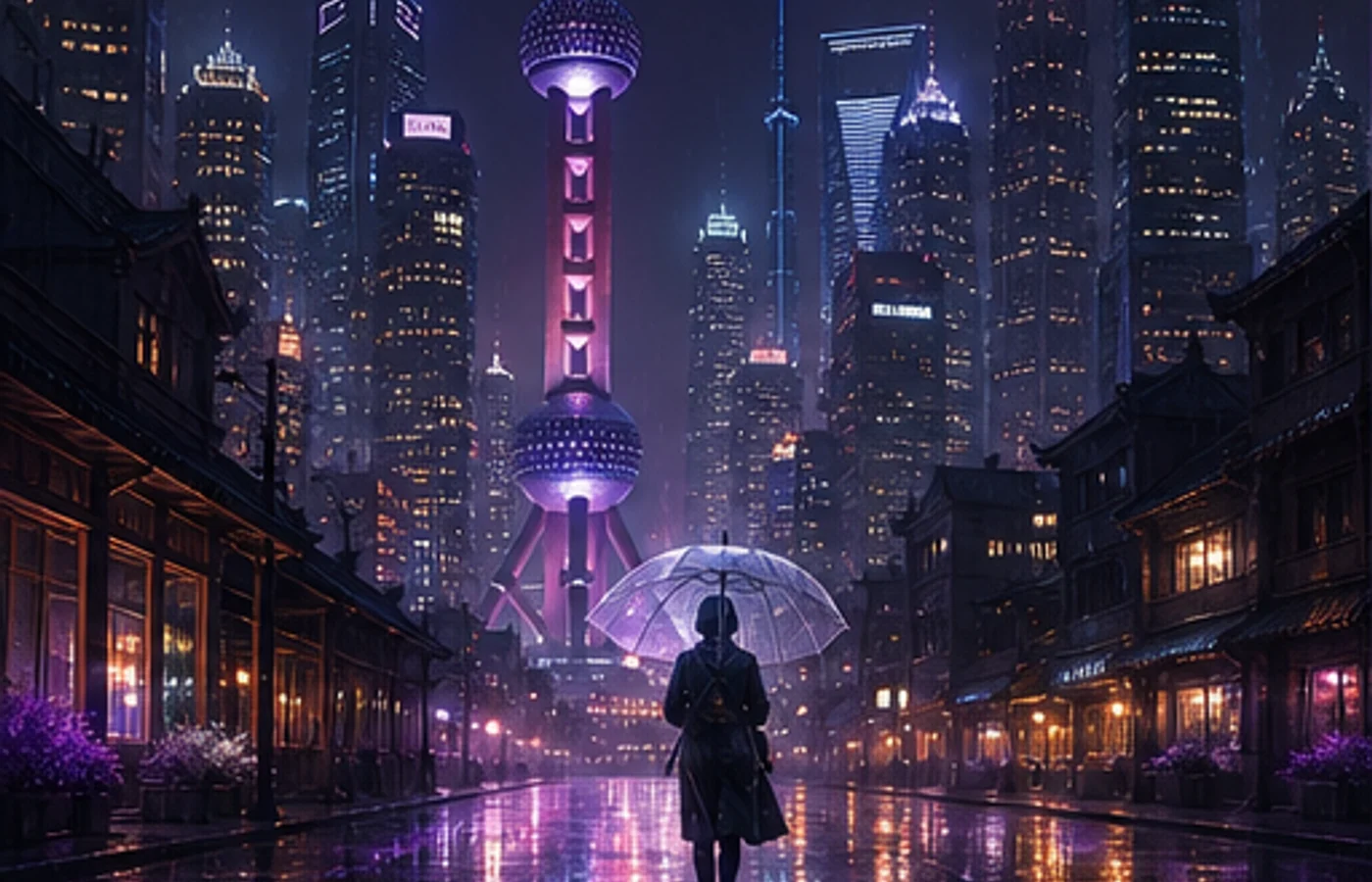

Midjourney V8.1 于 2026 年 4 月 30 日在网页端正式上线,并在 6 月 10 日成为默认模型。对实际创作影响最大的变化有四项:标准任务提速约 4–5 倍、支持原生 2K HD 出图、提示词细节保留更完整,以及重新接近 V7 的熟悉审美。
这篇 Midjourney 教程不堆功能名,而是讲清楚 HD 什么时候值得开、常用参数如何搭配,以及怎样把一句需求整理成可重复使用的提示词。如果你正在搜索 Midjourney 官网,需要注意:本站是独立教程与创作工具站,并非 Midjourney 官方服务。
先说清兼容性:Style Reference 可以用于 V8.1;Omni Reference 目前属于 V7。本文会明确标注两者差别,不把所有参数都写成 V8.1 原生能力。
V8.1 与 V7 有哪些区别
V8.1 保留了 V8 的速度和理解能力,同时把整体画面重新调回更熟悉的视觉平衡。固定同一条提示词比较时,差别最容易看清。
| 对比项 | V7 | V8.1 |
|---|---|---|
| 标准任务速度 | 迭代较慢 | 约快 4–5 倍 |
| 默认 1:1 尺寸 | 标准分辨率生成 | SD 1024px;HD 2048px |
| 提示词理解 | 短提示词表现稳定 | 更能保留细小要求 |
| 参考图工作流 | 支持 Omni 与 Style Reference | 支持 Style Reference;Omni 使用 V7 |
V8.1 核心功能详解
1. 原生 2K HD 图像
构图确定后再加 --hd。1:1 画幅下,HD 会直接生成 2048×2048 图像,SD 为 1024×1024。HD 消耗更多 GPU 时间,因此探索阶段继续使用 SD 更划算。
2. 生成速度提升 4–5 倍
V8.1 标准任务比早期版本快约四到五倍。节省下来的时间更适合分别测试构图、镜头和光线,而不是每次看到结果都把整段提示词推倒重写。
3. 用 Raw 减少默认美化
当系统自带的风格化过强时,在末尾加入 --raw。Raw 不是让画面变得绝对客观,而是减少默认审美处理,让你写出的镜头、材质和光线要求拥有更高权重。
4. 提示词工具更实用
Image Prompt、更新后的 Describe 和 Prompt Shortener 可以帮助你分析参考图、删掉作用不大的修饰词,并保留真正影响主体、构图与风格的描述。
5. 参考图功能要看版本
Style Reference 可在 V8.1 中控制色彩、媒介、纹理和光线。Omni Reference 是 V7 功能;加入 --oref 后任务会使用 V7,再用 --ow 调整参考强度。
6. Draft 模式快速铺方向
网页端的 V8.1 Draft 模式会一次生成 24 张 512px 草图,消耗 0.4 GPU 分钟。找到合适方向后,再用 Vary 或 Remix 重新生成 SD 或 HD 成图。
V8.1 参数速查表
参数统一放在提示词末尾。一次只调整一个参数,才能判断究竟是哪项设置改善了结果。
| 参数 | 作用 | 示例 |
|---|---|---|
--v 8.1 | 指定 V8.1 模型 | --v 8.1 |
--hd | 生成 HD 高清图 | --hd |
--sd | 生成 SD 标准图 | --sd |
--ar | 设置画面比例 | --ar 16:9 |
--s / --stylize | 设置风格化强度 | --s 250 |
--raw | 减少默认风格化 | --raw |
--c / --chaos | 增加结果差异 | --c 30 |
--sref | 添加风格参考图 | --sref URL |
--sw | 调整风格参考强度 | --sw 200 |
--no | 排除不需要的元素 | --no text |
--seed | 复用随机种子 | --seed 12345 |
--draft | 启用网页端 Draft 模式 | --draft |
--oref | 在 V7 使用 Omni Reference | --oref URL |
--ow | 在 V7 调整 Omni 强度 | --ow 300 |
--niji 7 | 使用 Niji 7 模型 | --niji 7 |
10 组实战提示词模板
下面的模板都按“主体—环境—镜头—光线—画幅”的顺序组织。先替换主体或视觉方向,不要一上来同时改动所有词。
1. 电商产品图
minimalist skincare bottle on a marble surface,
eucalyptus leaves, soft water droplets,
clean studio lighting, commercial product photography,
white background --ar 4:5 --hd --s 200
2. 编辑感人像
portrait of a young woman in a cream linen blazer,
soft natural light from a large window,
neutral background, shallow depth of field,
shot on medium format film, editorial style
--ar 3:4 --hd --s 250
3. 日系动漫角色
a girl with twin braids wearing a sailor uniform,
cherry blossom petals falling, school rooftop scene,
anime illustration, pastel color palette,
detailed eyes --ar 3:4 --niji 7
4. 室内设计概念
modern Japanese wabi-sabi living room,
floor-to-ceiling windows overlooking a misty zen garden,
natural wood and concrete, warm indirect lighting,
architectural interior photography --ar 16:9 --hd --s 300
5. 品牌 Logo 概念
minimalist geometric logo mark for a tech startup,
clean lines, single color, scalable vector style,
modern and professional, white background
--ar 1:1 --raw --s 50
6. 食物摄影
overhead shot of ramen bowl with soft-boiled egg,
nori, green onions, steam rising,
dark moody food photography, dramatic side lighting
--ar 1:1 --hd --s 200
7. 幻想游戏场景
ancient floating city above clouds at golden hour,
waterfalls cascading into mist,
massive stone bridges and hanging gardens,
epic fantasy concept art, cinematic lighting
--ar 21:9 --hd --s 400 --c 20
8. 儿童绘本插画
a little fox wearing a red scarf walking through
an autumn forest, falling golden leaves,
warm watercolor illustration style,
soft and cozy atmosphere, children's book art
--ar 4:3 --niji 7 --s 300
9. 社交媒体封面
abstract gradient background with flowing silk shapes,
soft pink and lavender tones,
modern editorial design, clean and elegant,
negative space for text overlay --ar 16:9 --s 150
10. 赛博朋克场景
neon-lit rainy street in a cyberpunk megacity,
holographic advertisements reflecting on wet pavement,
a lone figure with an umbrella,
volumetric fog, cinematic anamorphic lens flare
--ar 21:9 --hd --s 350 --c 15
V8.1 和 V7 应该怎么选
大多数新项目可以直接使用 V8.1,尤其适合看重生成速度、HD 输出和提示词理解的工作。先用 SD 比较多个方向,再把选中的构图转成 HD。
如果项目依赖 Omni Reference,就保留 V7 工作流。Niji 7 是独立的动漫与插画模型,应通过 --niji 7 调用,不要把它当成 V8.1 的附属参数。
新手稳定上手流程
稳定流程比超长提示词更重要。部分账号在使用 V8.1 前,还需要先解锁 Global V7/V8 Personalization Profile。
- 写清主体、动作、环境、镜头、光线和画幅。
- 先用 SD 生成,并至少比较两批结果。
- 每轮只改一个变量:先构图,再风格,最后细节。
- 只有方向需要时才加入 --raw 或 Style Reference。
- 选定结果后再运行 HD,并检查边缘、手部、文字和素材使用权。
开始使用 Midjourney
V8.1 真正改变的是创作节奏,而不是提示词语法。更快的生成让逐项测试变得可行,原生 HD 则在构图确定后省掉了一次传统放大步骤。
从上面的模板选一组,把主体换成自己的需求,每批结果只做一次明确修改。这个习惯比不断堆叠形容词更容易得到稳定画面。
开始使用 Midjourney