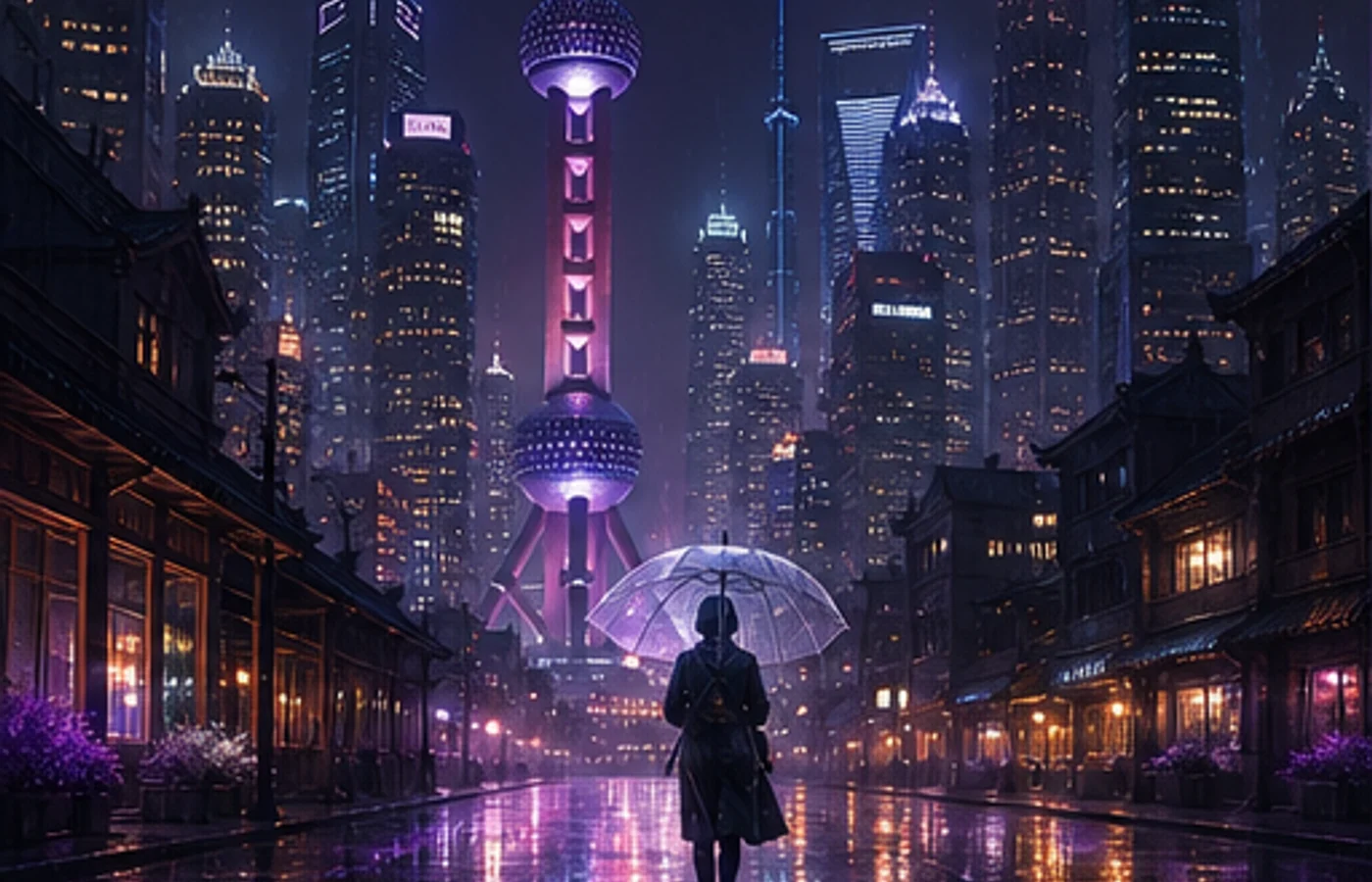

Midjourney V8.1 launched on the web on April 30, 2026 and became the default model on June 10. Its biggest practical changes are 4–5× faster standard jobs, native 2K HD output, stronger prompt adherence, and a familiar visual character closer to V7.
This Midjourney tutorial explains what changed, when HD is worth the extra GPU time, which parameters still matter, and how to turn a short brief into a repeatable prompt. If you are looking for the Midjourney official website, remember that this independent guide and its creation workspace are not the official Midjourney service.
Compatibility matters: Style Reference works with V8.1, but Omni Reference currently runs with V7. The guide labels that difference instead of treating every parameter as native to V8.1.
V8.1 compared with V7
V8.1 keeps the speed and prompt understanding introduced by V8 while restoring a more familiar visual balance. The practical differences are easiest to see in a fixed workflow.
| Area | V7 | V8.1 |
|---|---|---|
| Standard speed | Slower iteration | About 4–5× faster |
| Default 1:1 size | Standard generation | 1024px SD or 2048px HD |
| Prompt adherence | Reliable with concise prompts | Better retention of small details |
| Reference workflow | Omni and Style Reference | Style Reference; Omni uses V7 |
Core V8.1 features
1. Native 2K HD images
Use --hd after the composition is settled. At 1:1, HD produces 2048×2048 pixels directly, while SD produces 1024×1024. HD uses more GPU time, so SD remains the efficient choice for exploration.
2. Faster iteration
Standard V8.1 jobs render about four to five times faster than earlier versions. Use the saved time to test composition, camera angle, and lighting separately instead of rewriting the whole prompt after every result.
3. Raw for tighter control
Add --raw when Midjourney's automatic styling is stronger than you want. Raw does not make a prompt objective; it simply reduces the model's default creative treatment so your explicit direction carries more weight.
4. Shorter, cleaner prompt tools
Image Prompts, the updated Describe tool, and Prompt Shortener make it easier to study a reference, remove weak modifiers, and keep only the words that noticeably affect the image.
5. Reference compatibility
Style Reference can guide color, medium, texture, and lighting in V8.1. Omni Reference is a V7 feature; adding --oref switches that job to V7, where --ow controls the reference strength.
6. Draft mode for broad exploration
On the Midjourney website, V8.1 Draft mode creates 24 low-resolution options for 0.4 GPU minutes. Use Vary or Remix on a promising draft to regenerate it at SD or HD quality.
Parameter quick reference
Place parameters at the end of the prompt. Change one control at a time so you can tell what actually improved the result.
| Parameter | Purpose | Example |
|---|---|---|
--v 8.1 | Use the V8.1 model | --v 8.1 |
--hd | Generate an HD image | --hd |
--sd | Generate an SD image | --sd |
--ar | Set the aspect ratio | --ar 16:9 |
--s / --stylize | Set stylization strength | --s 250 |
--raw | Reduce automatic styling | --raw |
--c / --chaos | Increase result variety | --c 30 |
--sref | Add a style reference | --sref URL |
--sw | Set style-reference strength | --sw 200 |
--no | Exclude unwanted elements | --no text |
--seed | Reuse a random seed | --seed 12345 |
--draft | Run website Draft mode | --draft |
--oref | Use Omni Reference in V7 | --oref URL |
--ow | Set Omni weight in V7 | --ow 300 |
--niji 7 | Use the Niji 7 model | --niji 7 |
10 practical prompt templates
These templates keep subject, environment, camera, light, and aspect ratio in a predictable order. Replace the subject or visual direction first; avoid changing every phrase at once.
1. E-commerce product image
minimalist skincare bottle on a marble surface,
eucalyptus leaves, soft water droplets,
clean studio lighting, commercial product photography,
white background --ar 4:5 --hd --s 200
2. Editorial portrait
portrait of a young woman in a cream linen blazer,
soft natural light from a large window,
neutral background, shallow depth of field,
shot on medium format film, editorial style
--ar 3:4 --hd --s 250
3. Japanese anime character
a girl with twin braids wearing a sailor uniform,
cherry blossom petals falling, school rooftop scene,
anime illustration, pastel color palette,
detailed eyes --ar 3:4 --niji 7
4. Interior design concept
modern Japanese wabi-sabi living room,
floor-to-ceiling windows overlooking a misty zen garden,
natural wood and concrete, warm indirect lighting,
architectural interior photography --ar 16:9 --hd --s 300
5. Logo concept
minimalist geometric logo mark for a tech startup,
clean lines, single color, scalable vector style,
modern and professional, white background
--ar 1:1 --raw --s 50
6. Food photography
overhead shot of ramen bowl with soft-boiled egg,
nori, green onions, steam rising,
dark moody food photography, dramatic side lighting
--ar 1:1 --hd --s 200
7. Fantasy game environment
ancient floating city above clouds at golden hour,
waterfalls cascading into mist,
massive stone bridges and hanging gardens,
epic fantasy concept art, cinematic lighting
--ar 21:9 --hd --s 400 --c 20
8. Children's-book illustration
a little fox wearing a red scarf walking through
an autumn forest, falling golden leaves,
warm watercolor illustration style,
soft and cozy atmosphere, children's book art
--ar 4:3 --niji 7 --s 300
9. Social media cover
abstract gradient background with flowing silk shapes,
soft pink and lavender tones,
modern editorial design, clean and elegant,
negative space for text overlay --ar 16:9 --s 150
10. Cyberpunk environment
neon-lit rainy street in a cyberpunk megacity,
holographic advertisements reflecting on wet pavement,
a lone figure with an umbrella,
volumetric fog, cinematic anamorphic lens flare
--ar 21:9 --hd --s 350 --c 15
Should you use V8.1 or V7?
Use V8.1 for most new work when speed, HD output, and prompt adherence are priorities. Start in SD, compare several directions, and move the selected composition to HD.
Keep V7 available when a project depends on Omni Reference. Niji 7 is a separate anime and illustration model, so choose it with --niji 7 rather than treating it as a V8.1 setting.
A reliable beginner workflow
A consistent process is more useful than a very long prompt. Some accounts may also need to unlock the Global V7/V8 Personalization Profile before using V8.1.
- Write the subject, action, environment, camera, light, and aspect ratio.
- Generate in SD first and compare at least two batches.
- Change one variable per round: composition, then style, then detail.
- Use --raw or a Style Reference only when the direction needs it.
- Run the chosen result in HD and inspect edges, hands, text, and usage rights.
Start creating with Midjourney
V8.1 changes the rhythm of Midjourney work more than it changes prompt grammar: faster tests make disciplined iteration practical, and native HD removes an extra finishing step when the composition is ready.
Choose one template above, replace the subject with your own brief, and make one controlled change after each batch. That habit produces more dependable results than stacking adjectives.
Start using Midjourney