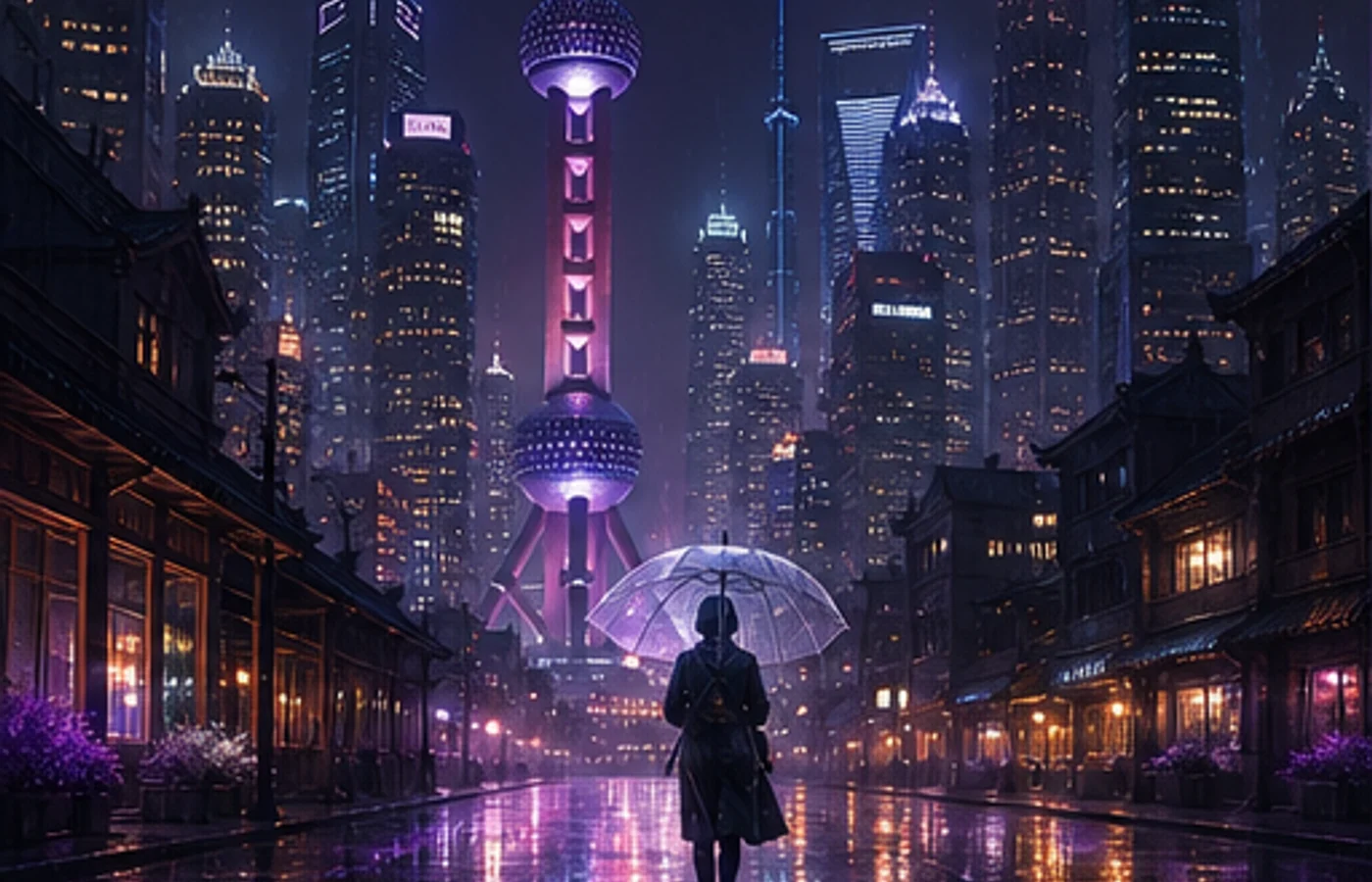

Midjourney V8.1 於 2026 年 4 月 30 日在網頁版上線,並於 6 月 10 日成為預設模型。標準任務快約 4–5 倍,支援原生 2K HD,提示詞中的細節也更容易保留。
這篇 Midjourney 教學說明 HD 的使用時機、常用參數與可重複使用的提示詞結構。本站教學與創作工具獨立營運,並非 Midjourney 官方網站。
Style Reference 可用於 V8.1;Omni Reference 目前使用 V7。本文會清楚標示相容性。
V8.1 與 V7 有哪些差異
V8.1 保留 V8 的速度與理解力,同時恢復更接近 V7 的視覺平衡。
| 比較項目 | V7 | V8.1 |
|---|---|---|
| 標準速度 | 迭代較慢 | 約快 4–5 倍 |
| 1:1 尺寸 | 標準生成 | SD 1024px;HD 2048px |
| 提示詞理解 | 短提示詞穩定 | 更能保留細節 |
| 參考圖 | Omni 與 Style | Style;Omni 使用 V7 |
V8.1 核心功能
1. 原生 2K HD
構圖確定後再加 --hd。1:1 的 HD 為 2048×2048,SD 為 1024×1024,探索方向時用 SD 更有效率。
2. 更快迭代
分別測試構圖、鏡頭與光線,不必每次都重寫整段提示詞。
3. Raw 控制
--raw 會減少自動風格化,讓明確的鏡頭、材質與光線要求有更高權重。
4. 提示詞工具
Image Prompts、Describe 與 Prompt Shortener 可分析參考圖並刪除影響不大的修飾詞。
5. 參考圖相容性
Style Reference 支援 V8.1;--oref 與 --ow 屬於 V7。
6. Draft 模式
網頁版一次產生 24 張 512px 草圖,耗用 0.4 GPU 分鐘,再用 Vary 或 Remix 生成 SD/HD。
V8.1 參數速查表
參數放在提示詞末尾,一次只調整一項。
| 參數 | 作用 | 範例 |
|---|---|---|
--v 8.1 | 使用 V8.1 | --v 8.1 |
--hd | 產生 HD | --hd |
--sd | 產生 SD | --sd |
--ar | 設定比例 | --ar 16:9 |
--s / --stylize | 設定風格強度 | --s 250 |
--raw | 減少自動風格 | --raw |
--c / --chaos | 增加差異 | --c 30 |
--sref | 加入風格參考 | --sref URL |
--sw | 風格權重 | --sw 200 |
--no | 排除元素 | --no text |
--seed | 重用 seed | --seed 12345 |
--draft | 啟用網頁 Draft | --draft |
--oref | V7 的 Omni | --oref URL |
--ow | V7 Omni 強度 | --ow 300 |
--niji 7 | 使用 Niji 7 | --niji 7 |
10 組實戰提示詞
模板依序整理主體、環境、鏡頭、光線與畫幅。
1. 電商產品圖
minimalist skincare bottle on a marble surface,
eucalyptus leaves, soft water droplets,
clean studio lighting, commercial product photography,
white background --ar 4:5 --hd --s 200
2. 編輯感人像
portrait of a young woman in a cream linen blazer,
soft natural light from a large window,
neutral background, shallow depth of field,
shot on medium format film, editorial style
--ar 3:4 --hd --s 250
3. 日系動漫角色
a girl with twin braids wearing a sailor uniform,
cherry blossom petals falling, school rooftop scene,
anime illustration, pastel color palette,
detailed eyes --ar 3:4 --niji 7
4. 室內設計概念
modern Japanese wabi-sabi living room,
floor-to-ceiling windows overlooking a misty zen garden,
natural wood and concrete, warm indirect lighting,
architectural interior photography --ar 16:9 --hd --s 300
5. Logo 概念
minimalist geometric logo mark for a tech startup,
clean lines, single color, scalable vector style,
modern and professional, white background
--ar 1:1 --raw --s 50
6. 食物攝影
overhead shot of ramen bowl with soft-boiled egg,
nori, green onions, steam rising,
dark moody food photography, dramatic side lighting
--ar 1:1 --hd --s 200
7. 幻想遊戲場景
ancient floating city above clouds at golden hour,
waterfalls cascading into mist,
massive stone bridges and hanging gardens,
epic fantasy concept art, cinematic lighting
--ar 21:9 --hd --s 400 --c 20
8. 兒童繪本插畫
a little fox wearing a red scarf walking through
an autumn forest, falling golden leaves,
warm watercolor illustration style,
soft and cozy atmosphere, children's book art
--ar 4:3 --niji 7 --s 300
9. 社群媒體封面
abstract gradient background with flowing silk shapes,
soft pink and lavender tones,
modern editorial design, clean and elegant,
negative space for text overlay --ar 16:9 --s 150
10. 賽博龐克場景
neon-lit rainy street in a cyberpunk megacity,
holographic advertisements reflecting on wet pavement,
a lone figure with an umbrella,
volumetric fog, cinematic anamorphic lens flare
--ar 21:9 --hd --s 350 --c 15
V8.1 和 V7 如何選
大多數新專案可使用 V8.1:先以 SD 探索,再以 HD 完成選定構圖。
需要 Omni Reference 時保留 V7;動漫與插畫則使用獨立的 --niji 7。
新手穩定上手流程
穩定流程比超長提示詞重要;部分帳號需要先解鎖 Global V7/V8 Personalization Profile。
- 寫清主體、動作、環境、鏡頭、光線與畫幅。
- 至少比較兩批 SD 結果。
- 每輪只改一個變數。
- 有需要時才加入 --raw 或 Style Reference。
- 最後以 HD 生成並檢查邊緣、手部、文字與使用權。
開始使用 Midjourney
V8.1 讓受控測試更快,也在構圖完成後省下一次放大步驟。
選一組模板,替換主體,每批只做一次明確修改。
開始使用 Midjourney