
Midjourney V8.1은 2026년 4월 30일 웹에 공개되고 6월 10일 기본 모델이 되었습니다. 표준 작업은 약 4~5배 빠르며 네이티브 2K HD와 더 나은 세부 지시 유지가 핵심입니다.
이 Midjourney 튜토리얼은 HD 사용 시점, 주요 파라미터, 반복 가능한 프롬프트 구성을 설명합니다. 이 가이드와 제작 공간은 Midjourney 공식 웹사이트와 독립적입니다.
Style Reference는 V8.1에서 작동하지만 Omni Reference는 현재 V7을 사용합니다.
V8.1과 V7 비교
V8.1은 V8의 속도와 이해력에 V7에 가까운 시각 균형을 더했습니다.
| 항목 | V7 | V8.1 |
|---|---|---|
| 표준 속도 | 반복이 느림 | 약 4~5배 빠름 |
| 1:1 크기 | 표준 생성 | SD 1024px / HD 2048px |
| 지시 이해 | 짧은 지시에 안정적 | 작은 조건을 더 잘 유지 |
| 참조 | Omni와 Style | Style 지원, Omni는 V7 |
V8.1 핵심 기능
1. 네이티브 2K HD
구도가 확정된 뒤 --hd를 사용합니다. 1:1 HD는 2048×2048, SD는 1024×1024로 탐색에 효율적입니다.
2. 빠른 반복
전체 프롬프트를 다시 쓰기보다 구도, 카메라, 조명을 따로 시험합니다.
3. Raw 제어
--raw는 자동 스타일을 줄여 명시한 지시의 비중을 높입니다.
4. 프롬프트 도구
Image Prompts, Describe, Prompt Shortener로 참조를 분석하고 불필요한 수식어를 줄일 수 있습니다.
5. 참조 호환성
Style Reference는 V8.1, --oref와 --ow는 V7 기능입니다.
6. Draft 모드
웹에서 512px 시안 24장을 0.4 GPU분에 만들고 Vary나 Remix로 SD/HD를 다시 생성합니다.
파라미터 빠른 표
파라미터는 끝에 놓고 하나씩 바꿉니다.
| 파라미터 | 용도 | 예 |
|---|---|---|
--v 8.1 | V8.1 사용 | --v 8.1 |
--hd | HD 생성 | --hd |
--sd | SD 생성 | --sd |
--ar | 비율 설정 | --ar 16:9 |
--s / --stylize | 스타일 강도 | --s 250 |
--raw | 자동 스타일 감소 | --raw |
--c / --chaos | 다양성 증가 | --c 30 |
--sref | 스타일 참조 | --sref URL |
--sw | 스타일 가중치 | --sw 200 |
--no | 요소 제외 | --no text |
--seed | seed 재사용 | --seed 12345 |
--draft | 웹 Draft | --draft |
--oref | V7 Omni | --oref URL |
--ow | V7 Omni 강도 | --ow 300 |
--niji 7 | Niji 7 사용 | --niji 7 |
실전 프롬프트 10개
템플릿은 주제, 환경, 카메라, 빛, 비율 순서입니다.
1. 쇼핑몰 제품
minimalist skincare bottle on a marble surface,
eucalyptus leaves, soft water droplets,
clean studio lighting, commercial product photography,
white background --ar 4:5 --hd --s 200
2. 에디토리얼 인물
portrait of a young woman in a cream linen blazer,
soft natural light from a large window,
neutral background, shallow depth of field,
shot on medium format film, editorial style
--ar 3:4 --hd --s 250
3. 애니 캐릭터
a girl with twin braids wearing a sailor uniform,
cherry blossom petals falling, school rooftop scene,
anime illustration, pastel color palette,
detailed eyes --ar 3:4 --niji 7
4. 인테리어 콘셉트
modern Japanese wabi-sabi living room,
floor-to-ceiling windows overlooking a misty zen garden,
natural wood and concrete, warm indirect lighting,
architectural interior photography --ar 16:9 --hd --s 300
5. 로고 콘셉트
minimalist geometric logo mark for a tech startup,
clean lines, single color, scalable vector style,
modern and professional, white background
--ar 1:1 --raw --s 50
6. 음식 사진
overhead shot of ramen bowl with soft-boiled egg,
nori, green onions, steam rising,
dark moody food photography, dramatic side lighting
--ar 1:1 --hd --s 200
7. 판타지 장면
ancient floating city above clouds at golden hour,
waterfalls cascading into mist,
massive stone bridges and hanging gardens,
epic fantasy concept art, cinematic lighting
--ar 21:9 --hd --s 400 --c 20
8. 아동 도서 삽화
a little fox wearing a red scarf walking through
an autumn forest, falling golden leaves,
warm watercolor illustration style,
soft and cozy atmosphere, children's book art
--ar 4:3 --niji 7 --s 300
9. 소셜 커버
abstract gradient background with flowing silk shapes,
soft pink and lavender tones,
modern editorial design, clean and elegant,
negative space for text overlay --ar 16:9 --s 150
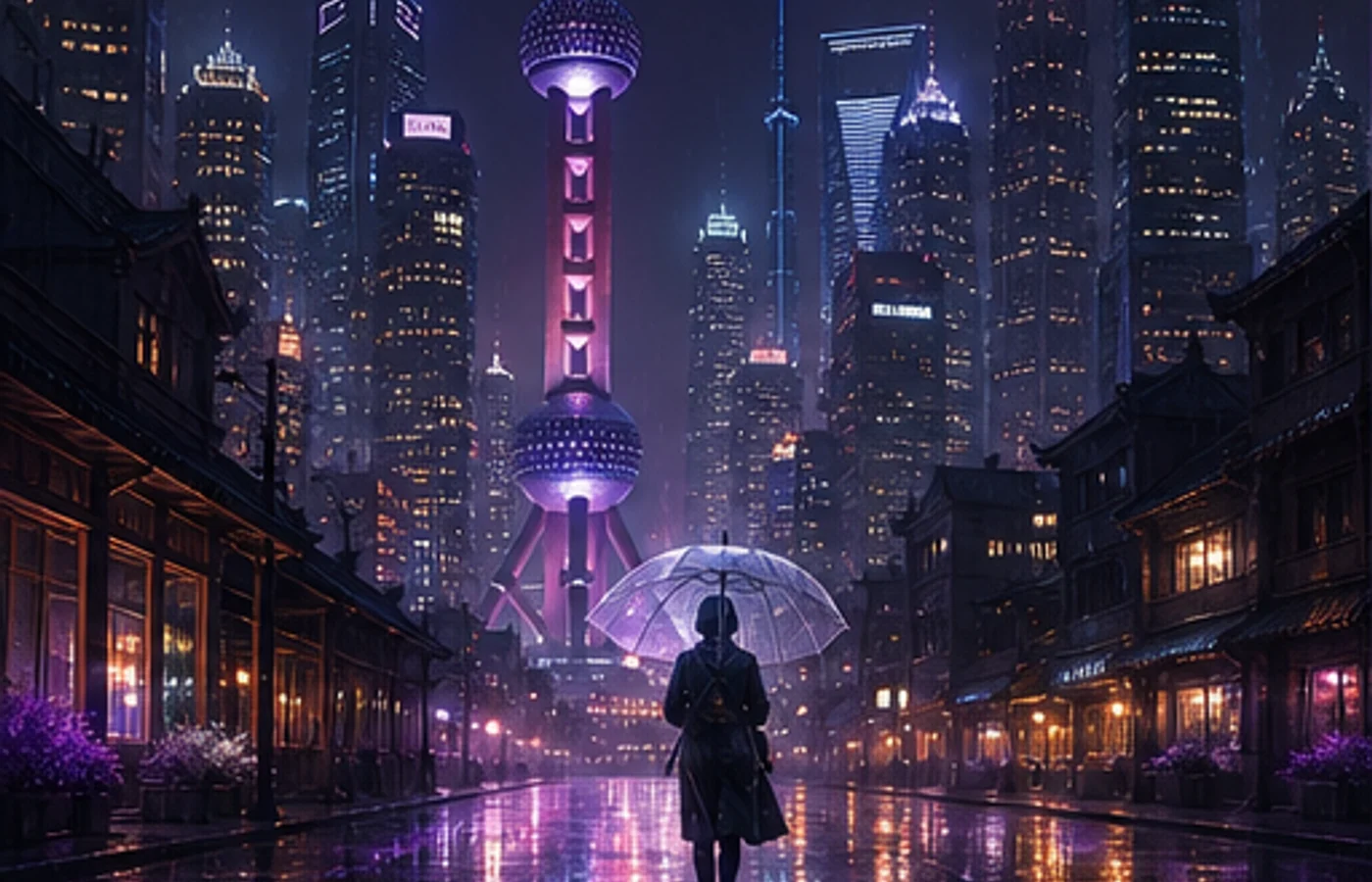
10. 사이버펑크 장면
neon-lit rainy street in a cyberpunk megacity,
holographic advertisements reflecting on wet pavement,
a lone figure with an umbrella,
volumetric fog, cinematic anamorphic lens flare
--ar 21:9 --hd --s 350 --c 15
V8.1과 V7 선택
새 작업은 V8.1에서 SD로 탐색하고 선택한 구도를 HD로 마무리합니다.
Omni Reference가 필요하면 V7, 애니 표현은 별도 모델 --niji 7을 사용합니다.
초보자 작업 순서
긴 프롬프트보다 일정한 과정이 중요하며 일부 계정은 Global V7/V8 프로필을 먼저 잠금 해제해야 합니다.
- 주제, 행동, 환경, 카메라, 빛, 비율을 정합니다.
- SD 두 묶음 이상을 비교합니다.
- 한 번에 변수 하나만 바꿉니다.
- 필요할 때만 --raw나 Style Reference를 추가합니다.
- HD로 마무리하고 가장자리, 손, 글자, 권리를 확인합니다.
Midjourney 시작하기
V8.1은 통제된 실험을 빠르게 하고 업스케일 단계를 하나 줄입니다.
템플릿의 주제를 바꾸고 각 배치에서 한 항목만 수정해 보세요.
Midjourney 사용 시작하기